

Allow Employees to Request Changes
Employees can be granted access to request changes on their time cards.
Granting Access to Employees
Setup menu: Access

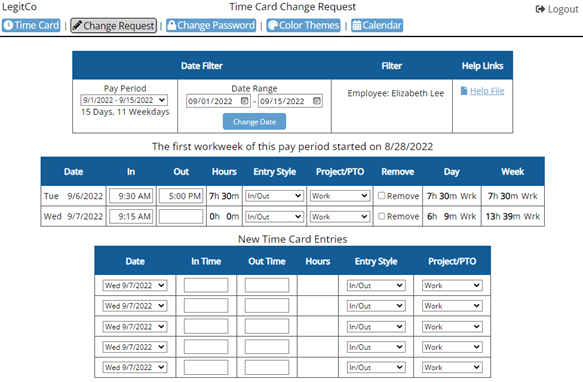
Employees will see:
Change Request page looks nearly identical to the Admin’s Edit page.
When employee makes a change, the line greys out pending approval.

Approving Changes
When Admin (or Supervisor username) logs in, the Pending Requests page will appear.
Time Card menu: Pending Requests

The request can also be approved/disapproved in the Admin/Supervisor’s Edit page.
Time Card menu: Edit

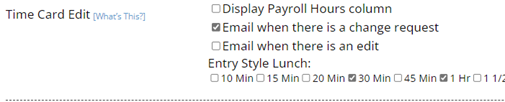
Notification Option:
To receive an email when a change has been requested, go to Setup: General Setup Options.
Was this article helpful to you?
Can’t find the answer? Contact Support